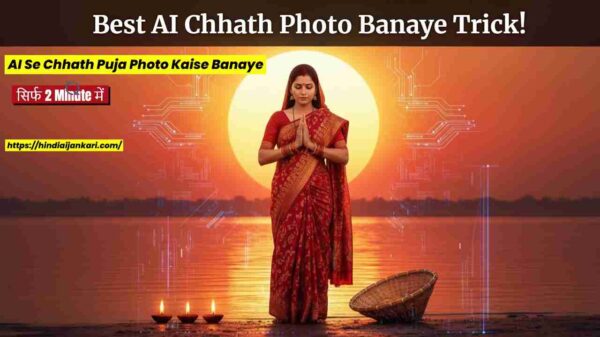
दोस्तों, छठ पूजा (Chhath Puja) आ गई है! यह केवल एक Festival नहीं है, बल्कि Devotion, Family, और Golden Hour Photography का Ultimate Blend है। सोचिए, वो Sunrise और Sunset के Divine Moments… जब Arghya दिया जाता है… सच कहूँ तो, हर Photo एक कहानी होती है!
पर Problem कहाँ आती है? जब हम Photo Click करते हैं, तो कभी Light कम होती है, कभी भीड़ ज़्यादा! हम सोचते हैं, “दोस्तों, AI Se Chhath Puja Photo Kaise Banaye जो एकदम Professional लगे?” या “छठ पूजा AI इमेज कैसे जेनरेट करें? Hindiaijankari से हमें सही तरीका चाहिए।”
Good News: अब Google Gemini तुम्हारा नया AI Photo Editing Buddy है! यह AI Tool तुम्हारी Problem का Solution है। तुम्हें कोई Tough Software सीखने की ज़रूरत नहीं, बस Simple Command दो, और Google Gemini अपना Magic दिखाएगा।
ये Ultimate Guide तुम्हें दोस्त बनकर सिखाएगा कि Chhath Puja Photos Editing करके अपनी Traditional Photos को Social Media पर Viral कैसे करना है। चलो, Hindiaijankari के साथ शुरू करते हैं!
दोस्तों, Gemini ही क्यों? नॉर्मल Filter क्यों नहीं? (AI Power Explained)
देख भाई, Normal Filter तो सिर्फ़ Colours को बदलते हैं। पर Google GeminiSmart है क्योंकि यह एक Advanced AI Model है।
Conversational Editing (बातचीत से Edit): कैसे काम करता है?
Tough Menu खोलने की ज़रूरत नहीं है। तुम बस Hindi/Hinglish में Command देते हो।
Detail:Gemini तुम्हारी Natural Language को Code में Translate करता है। जब तुम कहते हो “पीछे की भीड़ हटा दे दोस्तों”, तो AIObject Recognition का यूज़ करके Crowd को पहचानता है और Inpainting Technique से उन्हें हटा देता है।
AI Value: इससे तुम्हारी Chhath Puja Photos EditingFast और Error-Free हो जाती है।
Sunset के समय Photos अक्सर Dark और Grainy आती हैं।
Detail:Google GeminiNoise Reduction Algorithms का यूज़ करके Photo के Dark Areas से Grain हटाता है। फिर, यह Smart Exposure का यूज़ करके Light बढ़ाता है, लेकिन सिर्फ़ Shadows में।
AI Value: इससे तुम्हारी Traditional Photos में Clarity आती है, और GlowNatural लगता है। इस तरह की Chhath Puja Photos EditingGoogle Gemini से ही संभव है।
AI Se Chhath Puja Photo Kaise Banaye : Step-by-Step Guide: Gemini से Photo Edit करने का सबसे Easy Plan
चलो, Editing शुरू करते हैं दोस्तों। ये 4 Simple Steps फॉलो करो:
Upload Icon:Typing Box के पास Photo Icon पर Click करो।
Choose: अपनी Gallery से अपनी Best Chhath Puja Photo को Select करके Upload कर दो।
Command दें: Photo को Sone जैसा Glow देने के लिए
छठ पूजा में Golden Light सबसे Important है।
Simple Command: “दोस्तों, ये photo को एकदम Golden Hour वाला feel दे दे। Sunrise का Glow अच्छे से बढ़ा देना।“
Gemini का Magic:AI तुरंत Photo को Warm (पीलापन) और Bright कर देगा। बस! तुमने सीख लिया कि AI Se Chhath Puja Photo Kaise BanayeCinematicStyle में!
Command दें: Background Blur करके Focus लाएँ
अगर Photo में Focus Vrati पर लाना है और Background में Distraction है, तो ये Command दो:
Simple Command: “इस Photo का Background Blur कर दो, पर Vrati (पूजा करने वाले) को एकदम Sharp (साफ़) रखना।“
Gemini का Magic:AISmartly सिर्फ़ Background को Blur कर देगा (इसे Bokeh कहते हैं)। अब सबकी नज़र सीधे तुम्हारी Chhath Puja Photos Editing के Main Subject पर होगी।
Command दें: Traditional Clothes के Colours को Bright और Natural रखने के लिए
अपनी Traditional Photos में Colours का Vibrant दिखना ज़रूरी है।
Simple Command: “सारे Colours को एकदम Vibrant और Bright कर दे, पर ध्यान रखना Face (Skin Tone) बिल्कुल असली (Natural) लगे।“
Gemini का Magic:AIColours को बढ़ाएगा, लेकिन तुम्हारे Face के Tone को Normal रखेगा। Photo लगेगी Vibrant, पर Fake नहीं!
Chhath Puja PhotoPrompt : Viral Photos के Secret Commands (छठ पूजा फोटो प्रॉम्प्ट)
अब Editing को Next Level पर ले चलते हैं दोस्तों। ये Powerful Prompts यूज़ करो, और देखना Result क्या आता है! ये छठ पूजा फोटो प्रॉम्प्ट तुम्हारी Photos को सबसे अलग बना देंगे।
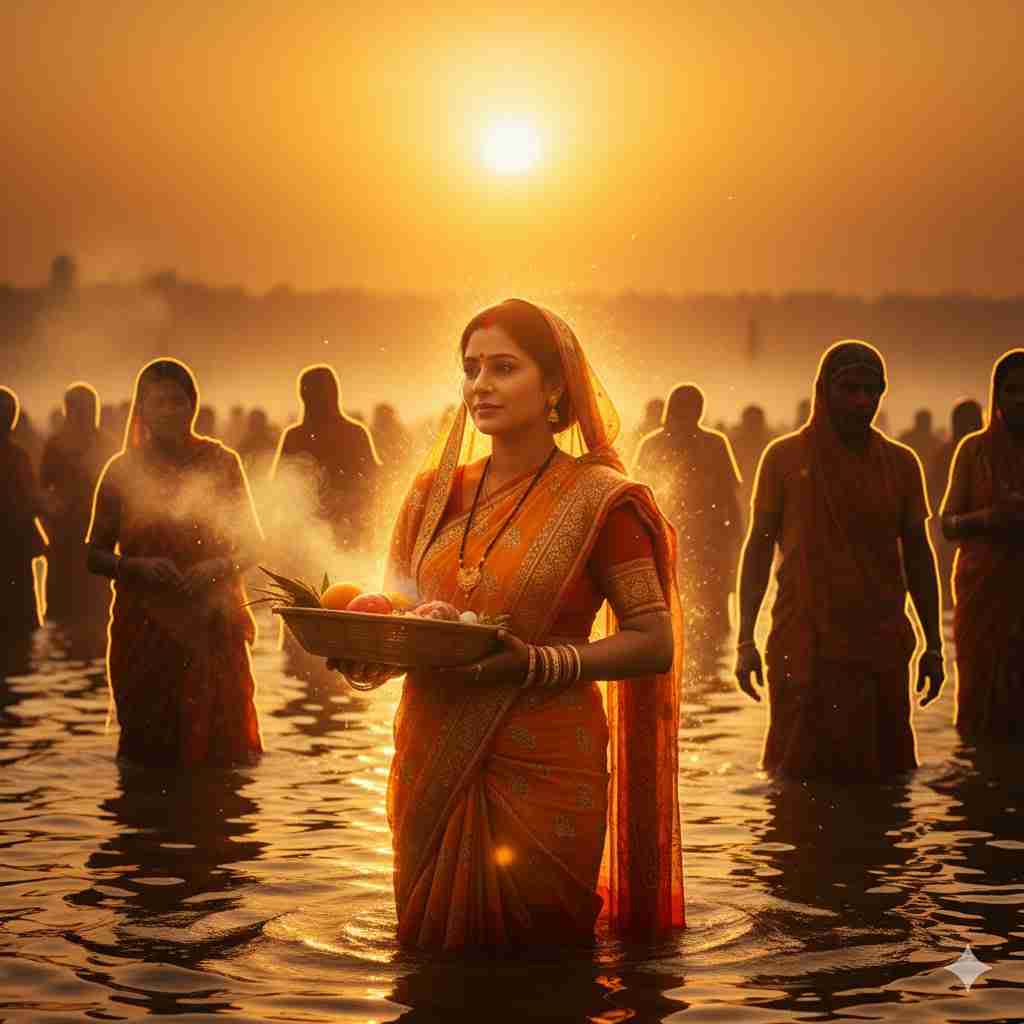
Divine Cinematic Glow
Photo में Film जैसा Golden Glow और Dramatic Look आएगा। यह PromptChhath Puja Photos Editing को Ultimate बना देगा।
Command (Prompt):
“Apply a deep cinematic orange and gold filter to this Chhath Puja photo to make it look like a blockbuster film scene. Enhance the warmth and natural glow around the Vrati, emphasizing her traditional attire and the peaceful expression on her face.”
AI Se Chhath Puja Photo Kaise Banaye 2025 | 1 Click में Best Chhath Puja Photo Banaye!
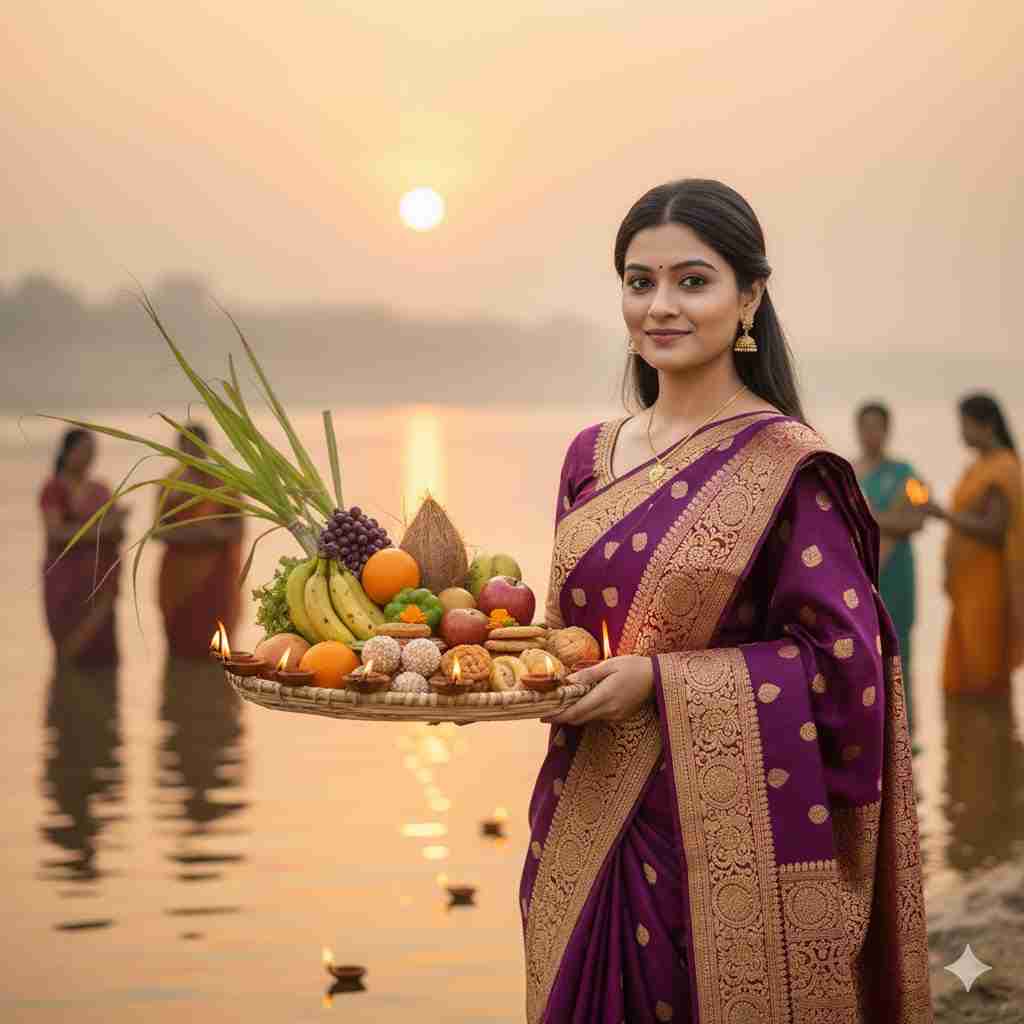
Perfect Portrait Style
Background को Soft Blur करके Vrati पर Ultimate Focus लाना। यह AI Se Chhath Puja Photo Kaise BanayePortrait Style में, यह बताता है।
Command (Prompt):
“Focus only on the Vrati in the foreground and apply a strong, soft lens blur (bokeh effect) to the background to separate the subject. Make sure her face and the detailed embroidery on her saree are pin-sharp and clear.”
AI Se Chhath Puja Photo Kaise Banaye 2025 | 1 Click में Best Chhath Puja Photo Banaye!
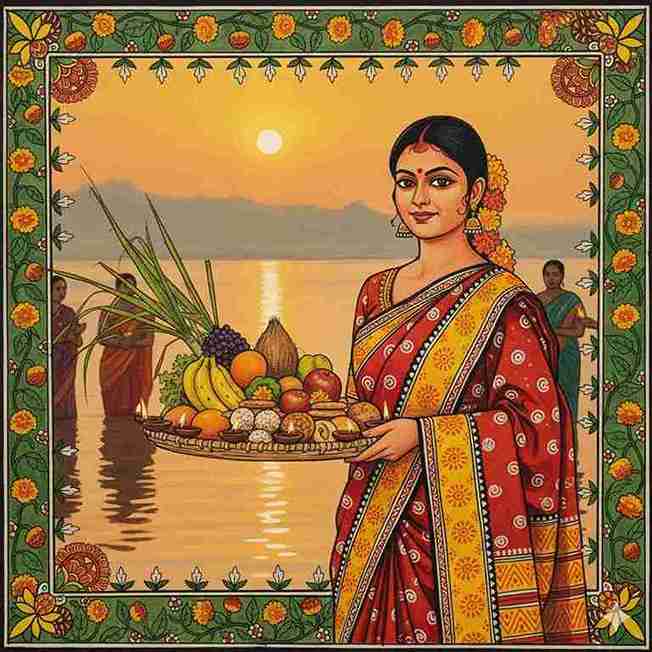
Artistic Painting Look
Simple Photo को Vibrant Indian Folk Art Painting Style में बदल देगा। ये Traditional Photos सबसे ज़्यादा पसंद की जाती हैं, चाहे वह असली Photo हो या कोई AI छठ पूजा फोटो।
Command (Prompt):
“Convert this photo into a vibrant Madhubani folk art style painting. Emphasize the Vrati wearing a yellow and red saree, holding a Sūp (bamboo basket) with diyas. Highlight the emotional and devotional expression on her face, and add marigold flowers.”
AI Se Chhath Puja Photo Kaise Banaye 2025 | 1 Click में Best Chhath Puja Photo Banaye!
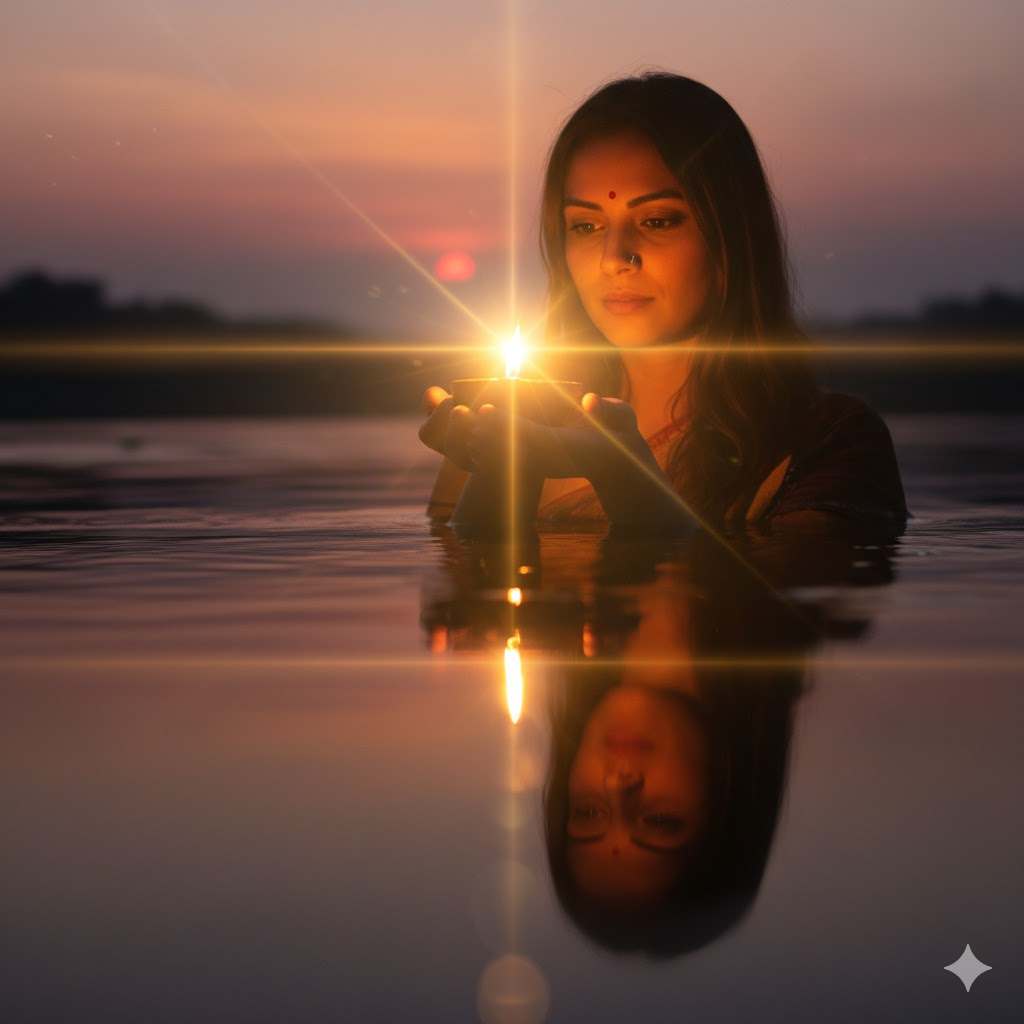
Water Reflection Magic with Diya
Diya की रौशनी और पानी के Reflection को Clear और Sharp बनाना। यह छठ पूजा फोटो प्रॉम्प्ट Lighting के Details को सुधारता है।
Command (Prompt):”Enhance the light source glow around the Diya held by the woman. Make the reflection of the sunset and the woman’s face in the river water more prominent and sharp, giving a soft, sacred lens flare effect.”
AI Se Chhath Puja Photo Kaise Banaye 2025 | 1 Click में Best Chhath Puja Photo Banaye!
Detailing & Sindoor Enhancement
Unwanted चीज़ों को हटाना और Traditional Details (जैसे Sindoor और Jewellery) को Sharp करना।
Command (Prompt):”Sharpen the texture of the Prasad (Thekua) in the basket. Enhance the color and shine of the Sindoor and the gold jewelry worn by the Vrati, while removing any distracting elements from the bank of the river.”
4. Expert Tips: Chhath Puja Photos को Viral करने के Cool Tricks
सिर्फ़ Editing काफी नहीं है दोस्तों। Viral होने के लिए ये Tips आज़माओ:
Unique Content:AI से अपनी Traditional Photos को Painting या Sketch में बदल दो। Unique Content हमेशा Viral होता है, खासकर जब वह कोई AI छठ पूजा फोटो हो।
Keywords Game:Caption में AI Se Chhath Puja Photo Kaise Banaye, Chhath Puja Photos Editing, और छठ पूजा फोटो प्रॉम्प्ट जैसे Keywords को Naturally यूज़ करो।
5. Final Word (और तुम्हारा Challenge!)
देखा दोस्तों? Google Gemini ने Photo Editing को कितना Easy बना दिया! अब तुम्हें Technical Jargon की चिंता नहीं करनी है। बस दिल से Command दो, और Google Gemini अपना Magic दिखाएगा।
निष्कर्ष (Conclusion): आपकी Photos अब होंगी Superhit!
दोस्तों, छठ पूजा के Moments सचमुच Divine होते हैं, और अब आपके पास Google Gemini की AI Power है उन्हें Perfectly Capture करने की। हमने सीखा कि कैसे AI Se Chhath Puja Photo Kaise Banaye जिसमें Golden Glow हो, Background Blur हो, और Colours Vibrant हों। इस Ultimate Guide की मदद से, आप अपनी Traditional Photos को Professional Look दे सकते हैं और Social Media पर Trending बना सकते हैं। याद रखें, AI सिर्फ़ एक Tool है—असली Magic तो आपकी Devotion और Creativity में है!
🔥 Call to Action (CTA): Hindiaijankari के साथ Mission Viral Photo!
दोस्तों, आपने Hindiaijankari पर यह High-Value Guide पढ़ा है। अब समय है Action लेने का!
Challenge Accept करें: इन छठ पूजा फोटो प्रॉम्प्ट को Copy करें और Google Gemini में Paste करके अपनी Chhath Puja Photos Editingअभी करें!
Subscribe करें:AI और Technology से जुड़े ऐसे ही Amazing, Easy, और Valuable Content के लिए Hindiaijankari को Subscribe करें और Follow करें!
Share करें: इस Easy Guide को अपने सभी Friends और Family के साथ Share करें ताकि वे भी छठ पूजा AI इमेज बनाना सीख सकें।
Comment करें: आपकी Best Edited Photo या AI छठ पूजा फोटो कैसी बनी, हमें Comment Section में ज़रूर बताएं! हमें आपकी Success Story का इंतज़ार रहेगा!
6. FAQ (तुम्हारे मन के सवाल – Simple Answers)
सवाल 1. दोस्तों, Gemini Free है या Paid?
जवाब:Google Gemini का Basic Version इस्तेमाल करने के लिए Free है। तुम Simple Commands से Editing शुरू कर सकते हो!
सवाल 2. AI की मदद से Background Blur वाली Photos कैसे बनाएं?
जवाब: बस Google Gemini को बोलो: “Background Blur कर दे“। यह AIFeatureTraditional Photos को Super-Focus देता है।
सवाल 3. Photos में Colours को Vibrant करने का Simple तरीका क्या है?
जवाब:Gemini को Command दो कि Vibrance बढ़ाए, लेकिन Face के Tone को Natural रखे। बस! Colours एकदम Pop-Up हो जाएँगे।
सवाल 4. क्या Low Light Photos को भी AI Edit करके Quality बढ़ा सकता है?
जवाब:Absolutely! Google GeminiNoise Reduction करके Low Light वाली Chhath Puja Photos Editing को Smooth और Clear बना देता है।